

If you are looking for how to submit sitemaps to Google with Rank Math, then you’ve come to the right place.
Submitting sitemaps to Google is necessary if you want Google to understand your site’s structure. It will also help Google discover and index your pages, increasing the chances of ranking for relevant searches.
If your site is built on WordPress, several SEO plugins, such as Rank Math, Yoast, and SEOPress, have made the process easy for you. A plugin like Rank Math automatically creates and submits a sitemap to your Google Search Console. This omits the need to install any additional sitemap generation tool.
Moreover, Rank Math creates individual sitemaps for posts, pages, categories, images, videos, etc., and combines them into a single sitemap index. This saves you the hassle of creating and submitting sitemaps for individual content types.
Another advantage of Rank Math is that the sitemap updates automatically when you change the content on your site.
In this article, we are going to guide you through the step-by-step process of submitting your sitemap to Google. We are going to take you through 2 different ways of carrying out the process – manually and automatically.
1. Submit Sitemaps to Google With Rank Math Manually
So, here are the steps for manually submitting your site’s sitemap to Google.
1.1. Install Rank Math SEO
The first step is to go to the WordPress dashboard and install the Rank Math SEO Plugin.
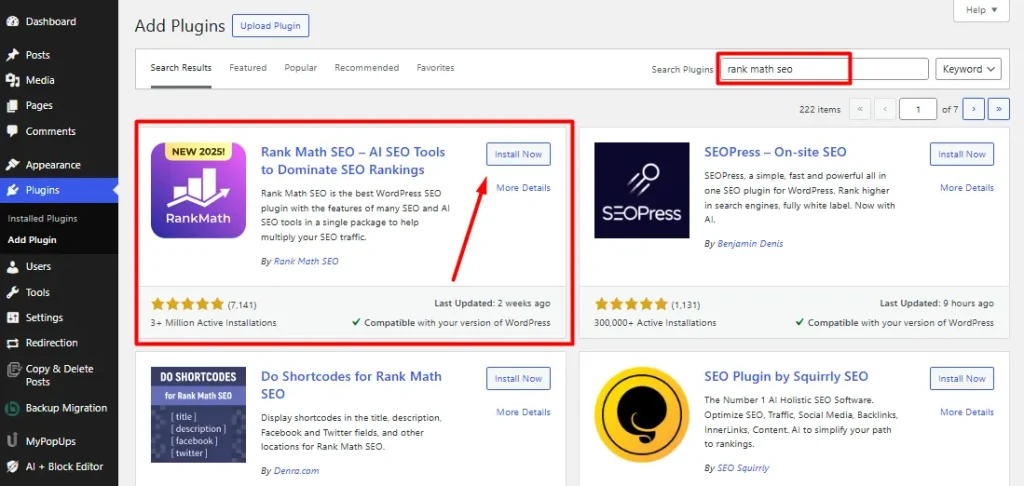
1.1. Sign in to Google Search Console
Then, you need to sign in to Google Search Console. For that, go to ‘search.google.com/search-console/’ and sign in with your Google account.
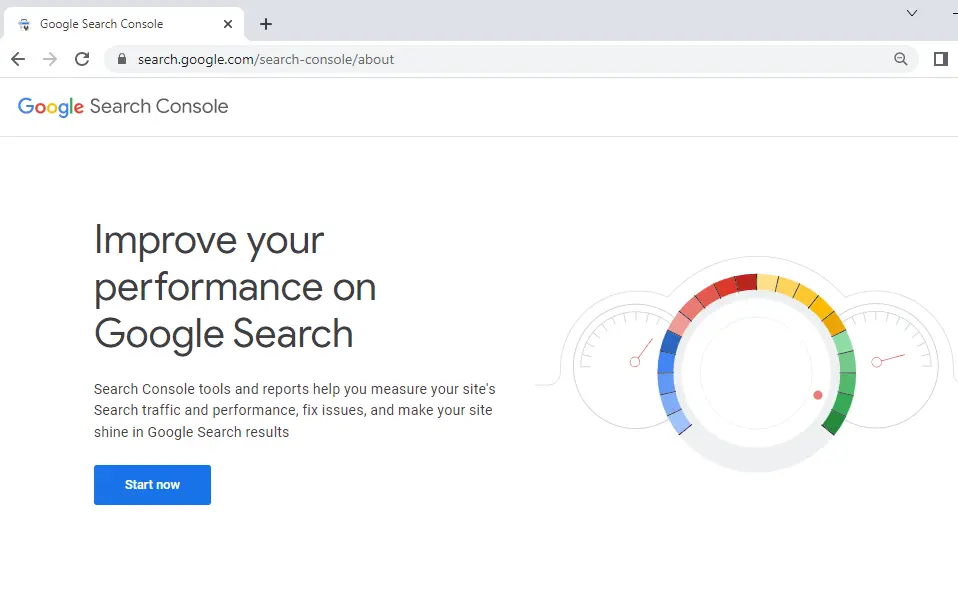
Also, if you haven’t set up Google Search Console, check out this blog on how to install Google Search Console for your WordPress website easily.
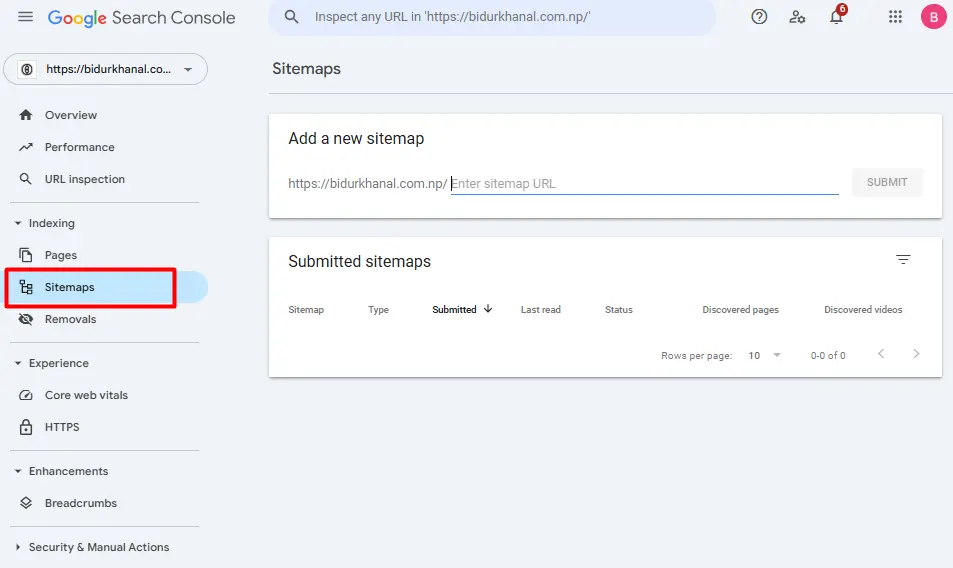
1.2. Go to Sitemaps
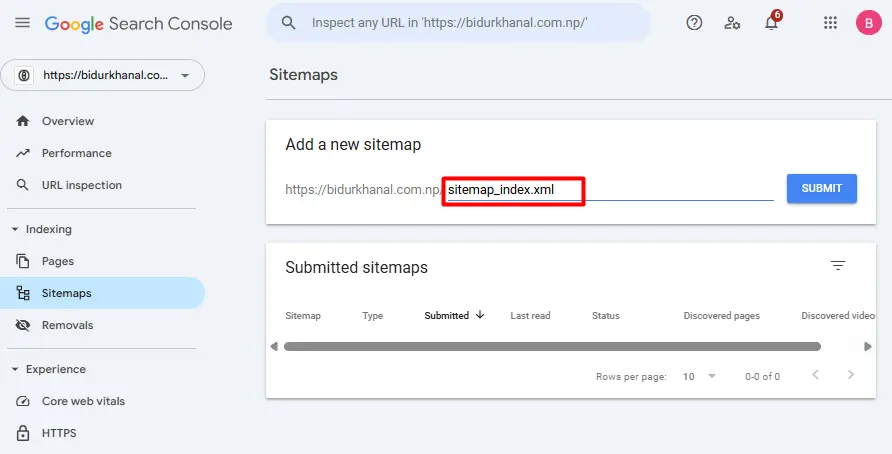
After you enter your Search Console dashboard, go to Sitemaps on the left sidebar.
1.3. Enter Sitemap URL
As we had mentioned earlier, Rank Math automatically creates a sitemap as you install the plugin.
Now, all you have to do is enter the sitemap’s URL in the Search Console’s Sitemaps section.
By default, Rank Math names the sitemap URL as –
“Your website’s URL” followed by “/sitemap_index.xml”
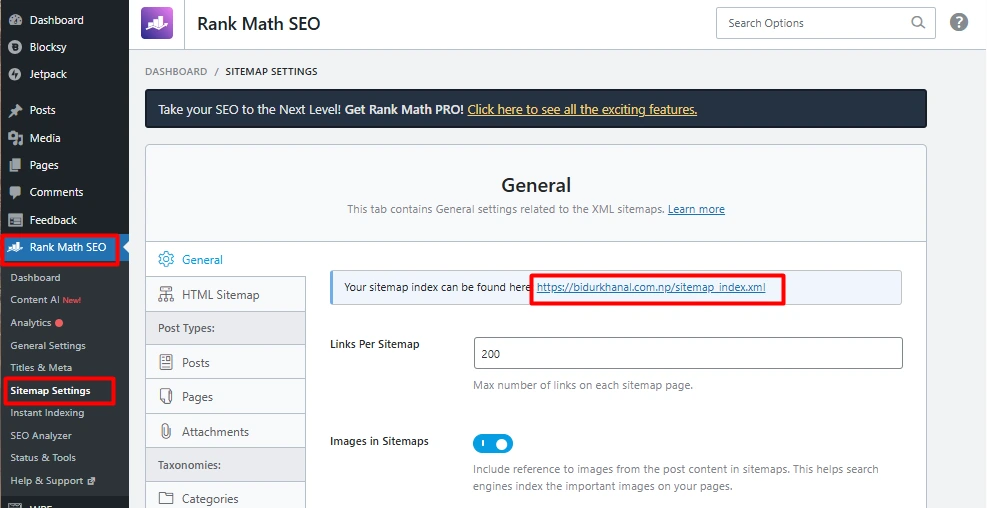
So, just enter “sitemap_index.xml” in the field to complete the sitemap URL.
1.4. Submit the Sitemap
Finally, click on the Submit button to submit your sitemap to Google.
2. Automatically Submit Sitemaps to Google
Rank Math offers the Analytics feature, with which it automatically submits your sitemap to Google. Following this method, you don’t need to manually do it yourself like in step 1.
However, this requires you to connect your Google Account with Rank Math.
The idea is to connect Rank Math to your Google account so that the Google Search Console can access the Sitemap URL directly from Rank Math.
So, let’s see the steps involved.
2.1 Connect Google with Rank Math
So first, go to Rank Math > Analytics. Then, click on the Connect Google Services button, enter or choose your Google account, and allow the permissions as required.
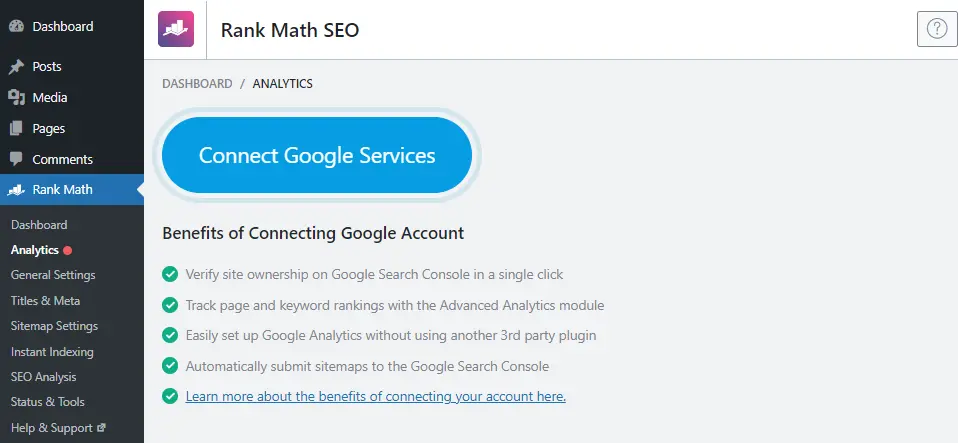
Here is the detailed step-by-step guide on connecting a Google Account with Rank Math.
2.2 Select the Site URL
After connecting successfully, you should go to General Settings > Analytics under your Rank Math menu. Then, select your site URL from the dropdown under the Search Console tab and save the changes.
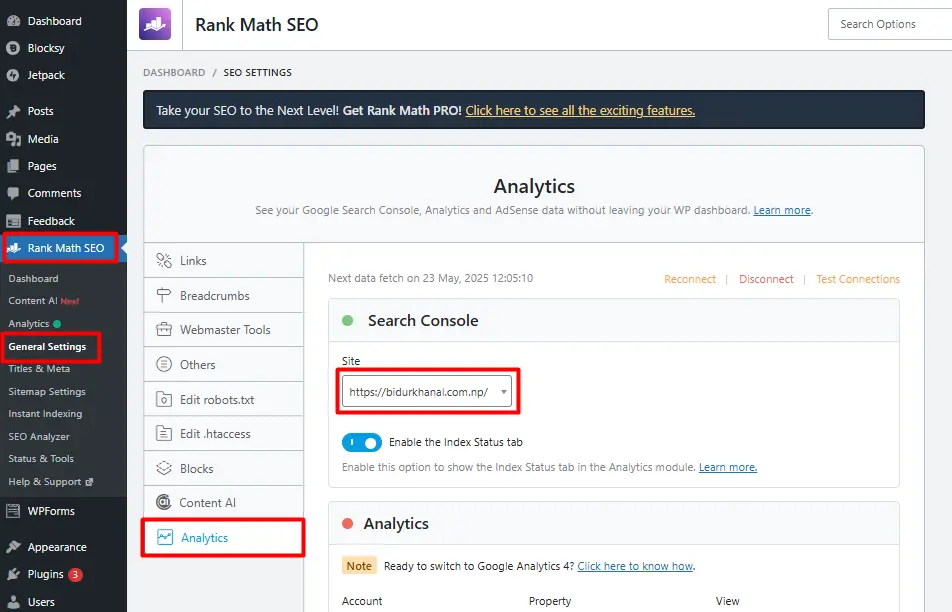
After doing so, you will have your Google Search Console connected with Rank Math for automatic sitemap submission.
Final Words
By reading this article, you can easily submit your site’s sitemap to Google using Rank Math, which allows crawling and indexing your website.
If you love and use Rank Math on your website for SEO, it’s one of the easiest alternatives for sitemap submission.
As a WordPress and digital marketing enthusiast myself, I try, test, make mistakes, and try again, and learn how things work. And I promise to share everything I learn on my blog. I will be coming up with similar helpful articles regularly. So, be sure to stay updated on my LinkedIn profile.